
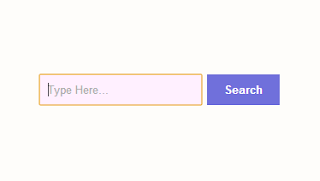
I don't know about others but I am not amused by the default Search Box in Blogger. Now getting to the point lets say you are a passionate blogger and you like blogging too, then you may want to provide what your viewers are looking for; but without the Search Box it will be very hard for them to find their desired content.
By using this tutorial you can add a good looking Search Box to your blog; just follow the below steps.
Step-wise Tutorial : How to Add Search Box to Blogger
Step 1 : Go to Blogger Dashboard
Step 2 : Click on Layout
Step 3 : Click on Add a Gadget
Step 4 : Now a pop up window will open, scroll down and click on HTML/JavaScript
Step 5 : Now paste the below code in Content box and click on Save
By using this tutorial you can add a good looking Search Box to your blog; just follow the below steps.
Step-wise Tutorial : How to Add Search Box to Blogger
Step 1 : Go to Blogger Dashboard
Step 2 : Click on Layout

Step 3 : Click on Add a Gadget
Step 4 : Now a pop up window will open, scroll down and click on HTML/JavaScript
Step 5 : Now paste the below code in Content box and click on Save
<style>
#mpsb-search-btn {
    background: none repeat scroll 0 0 #7070DB;
    border: 0 none;
    border-radius: 0 0 0 0;
    color: #FFFFFF;
    font-weight: 700;
    padding: 10px 20px;
}
#mpsb-search-box {
    background: none repeat scroll 0 0 #FFF0FF;
    border: 0 none;
    padding: 10px;
    width: 170px;
}
</style>
<form id="searchthis" action="/search" style="display:inline;" method="get">
<input id="mpsb-search-box" name="q" size="40" type="text" placeholder="Type Here..."/>
<input id="mpsb-search-btn" value="Search" type="submit"/>
</form>